See How it Benefits Your Equipment
Data Drives Decisions
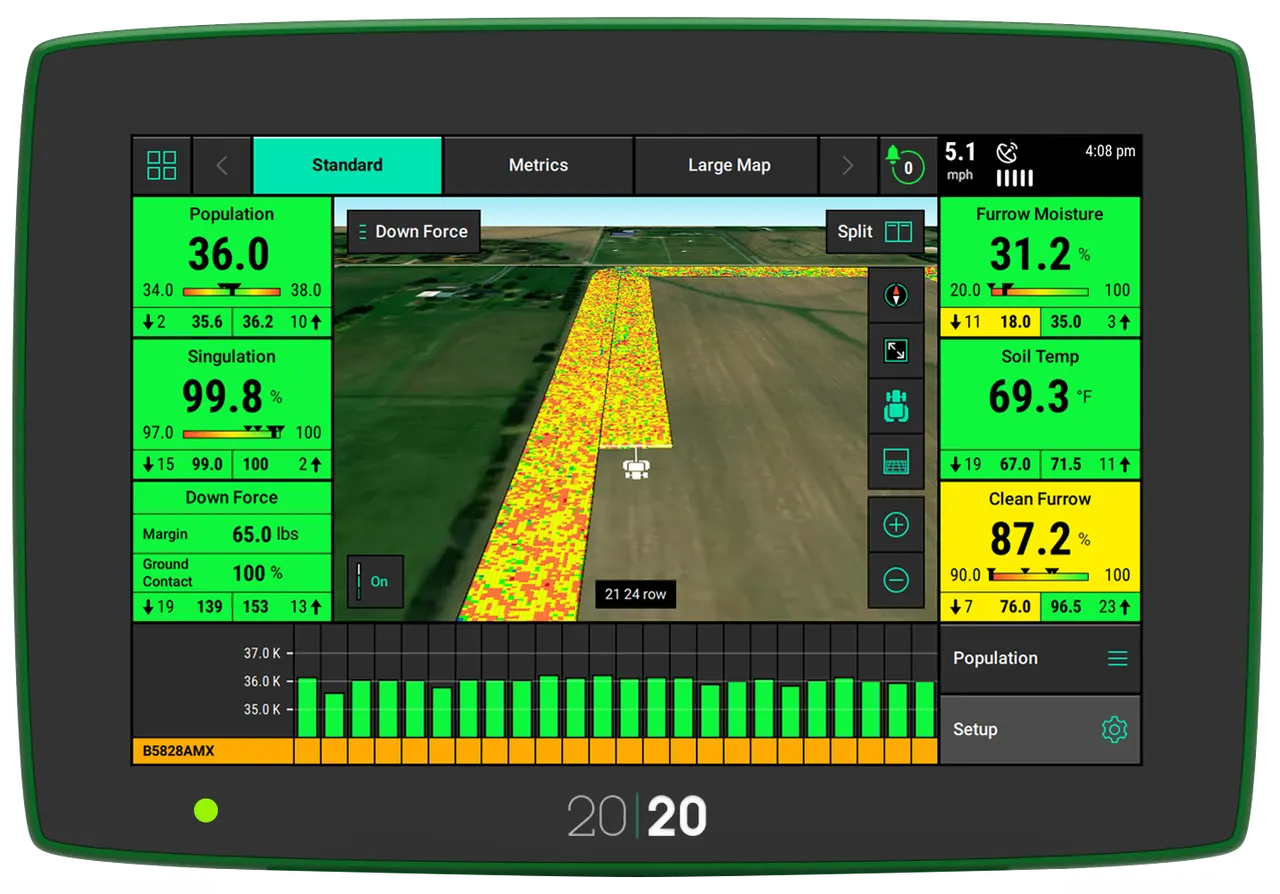
Get real-time data from your planter with the 20|20 system.
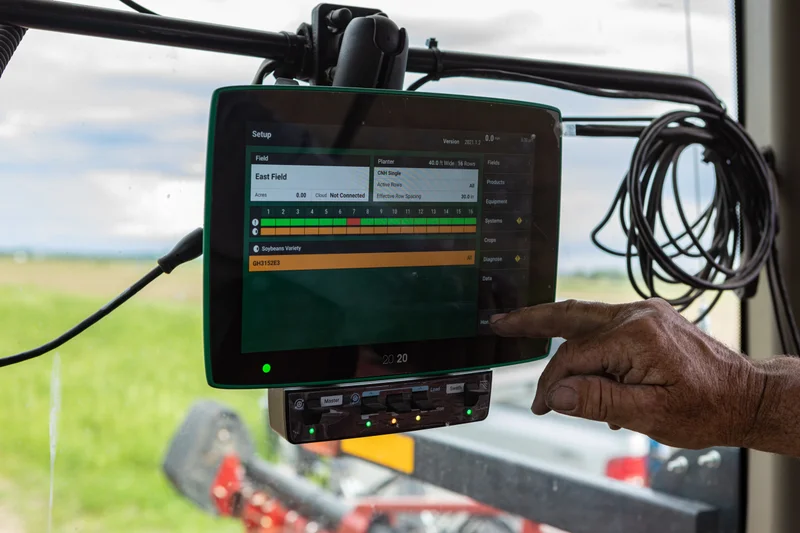
From Knowledge to Ultimate Control
The 20|20 can be utilised as a monitor to simply set the planter but it also powers the most agronomically advanced systems on the market. The 20|20 does all this to give you the most accurate data to make crucial decisions and gives your equipment powerful automation to make decisions as it passes through the field, optimising every pass.
High-Definition Agronomic Data
The Gen3 20|20 monitor provides the most advanced agronomic mapping you’ve ever seen. Optimise planting decisions with a smart, intuitive interface that visualises performance and field conditions in real-time, seed by seed.
Customise display configurations, add sensors, and discover things about your field you may have never known.
Better Data, Better Decisions
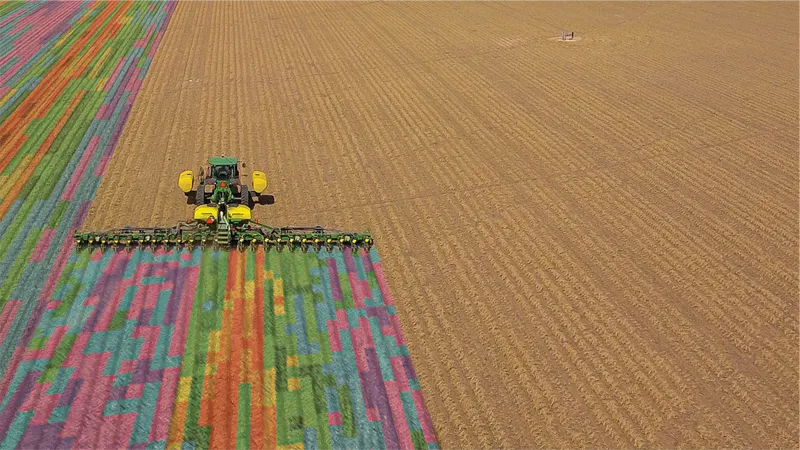
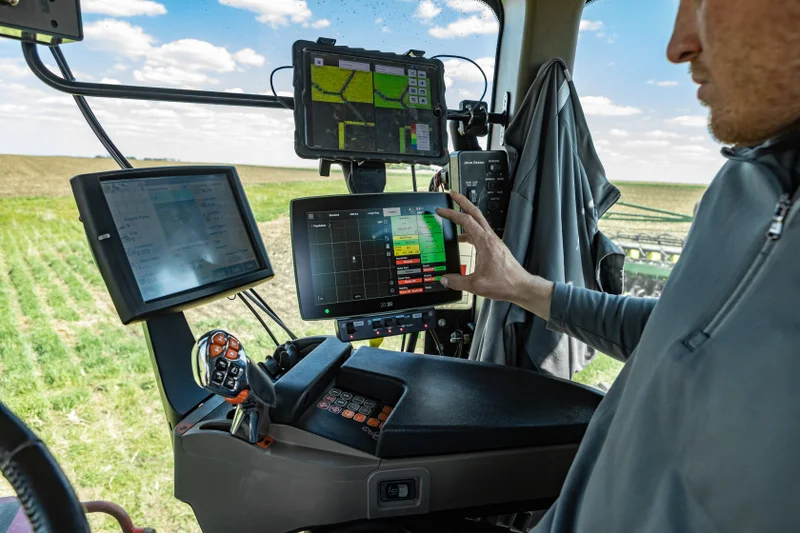
The 20|20 gives you the knowledge that you need to maximise the performance of your equipment, your crops, and your farm. When you make better decisions for your next pass, you make better decisions next season, and throughout the future of your operation.
Take control of the data you collect and how you view it.
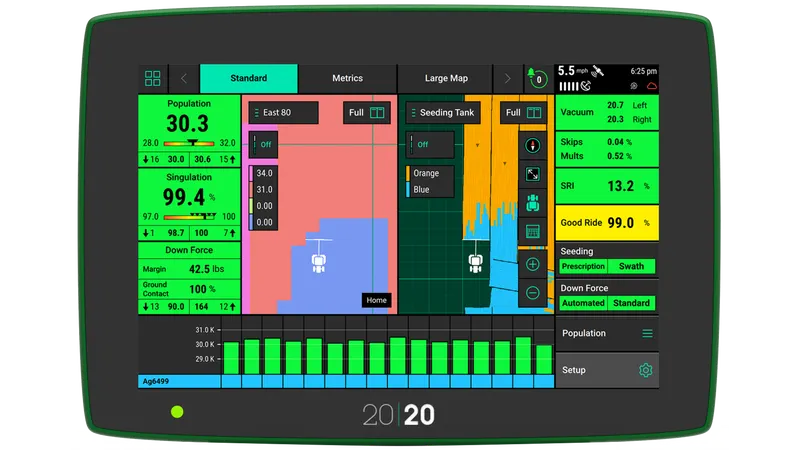
Map
High-definition maps illustrate detailed data per row. Show two maps side by side and product performance.
Diagnose
Power and monitor electronic products through the 20|20 to see how they perform in real-time.
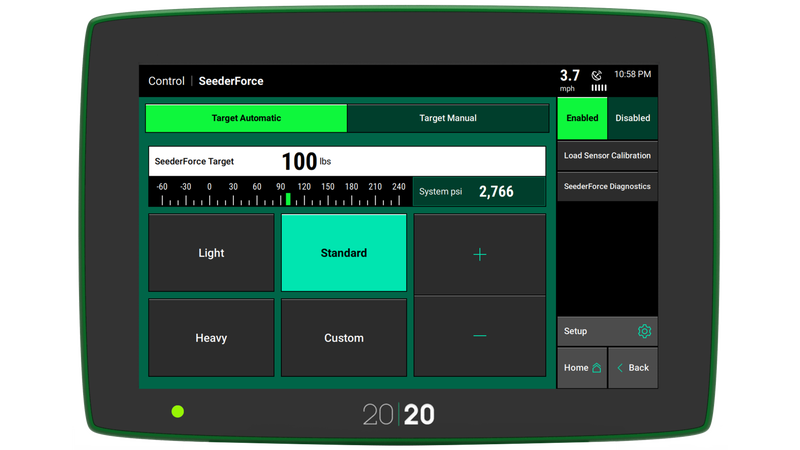
Control
Gain control over your most challenging applications through advanced products and automation capabilities.
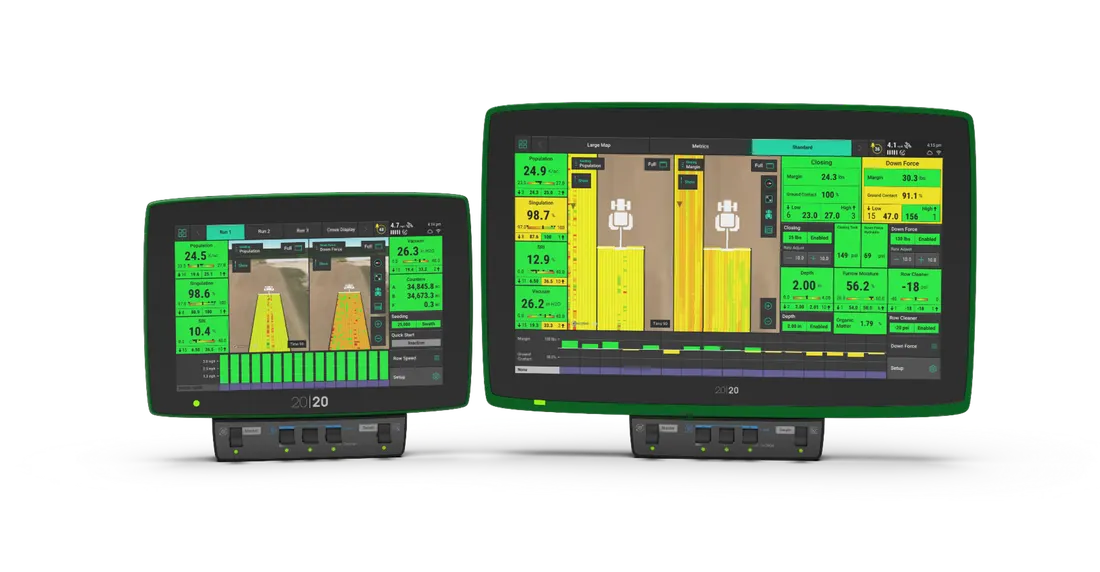
Choose Your Display Size
If you desire to see more metrics and maps side by side on your 20|20, then the 16" display is for you! Two times the widget locations and cross-display control of the most used home-screen features, so you can mount additional displays wherever makes the most sense in your cab.
Data Syncing Across Implements
Share swath coverage and maps across implements working in the same field with Passmaster. Synchronise all maps available on all implements between Gen 3 20|20 systems for the entire field. An annual Panorama subscription is required for this feature.
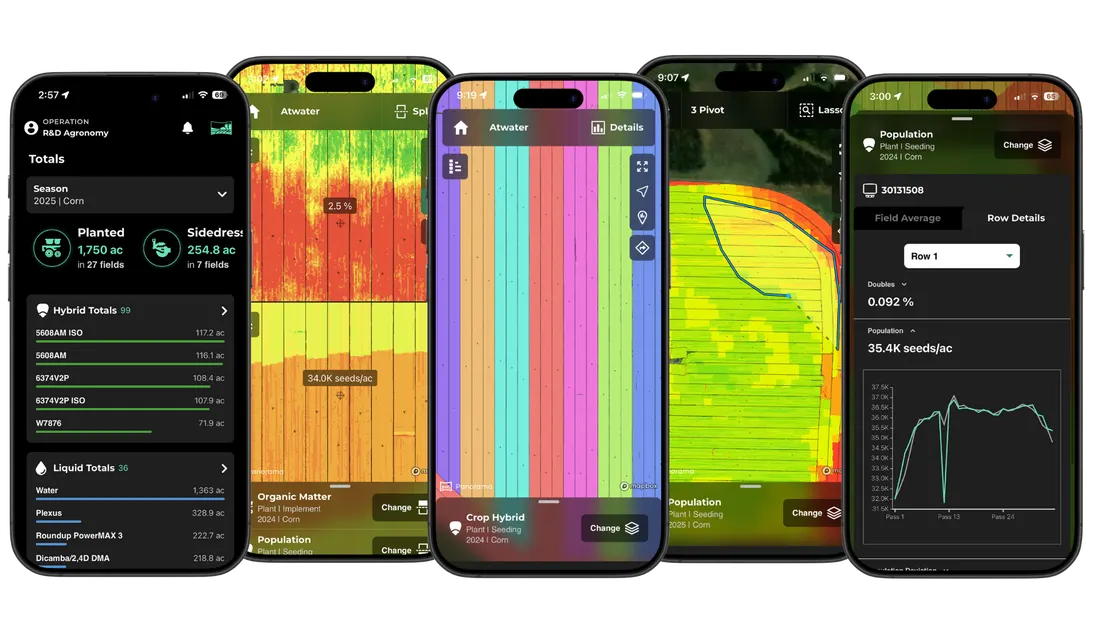
Manage 20|20 Maps and Data in Panorama™
- View, share, and analyse 20|20 data everywhere.
- See data in row-by-row maps, field average reports, and yield comparisons.
- Automate the process of sending data from your 20|20 to other trusted platforms.
Frequently Asked Questions
The 20|20 Gen3 offers more visibility into your field with features like high-definition mapping, Panorama, the capability of controlling or monitoring the latest technology offered by Precision Planting.
While the Gen2 is not compatible with some of the newest Precision Planting products, it is compatible with:
- AirForce
- DeltaForce
- FlowSense
- mSet
- RowFlow
- SmartFirmer
- SpeedTube
- vApplyHD
- vDrive and vDrive Insecticide
- vSet Select
- WaveVision
- YieldSense
The following electronic products are controlled through the Gen3 monitor:
- Clarity
- DeltaForce
- DrySet Micro
- EM FlowSense, EMHD, FlowSense
- FurrowForce (can also be run manually)
- mSet
- Rate Controller
- SeederForce
- SmartDepth
- SmartFirmer
- SymphonyNozzle
- SymphonyVision
- SpeedTube
- vApplyHD
- vDrive and vDrive Insecticide
- vSet and vSet Select
- WaveVision
- YieldSense
No, you do not need internet to use the 20|20.
You can easily export your data onto a flash drive and then upload it to the platform of your choice. Check out Panorama by Precision Planting as a method to view and analyse your data by importing it automatically through the cloud.
No, the data will still live in the monitor until you manually delete it.
Best practice is to delete it annually, or as often as needed to create storage space. The speed at which you will fill up storage space depends on the acres you are covering and how many electronic products you have tied to the 20|20.
The 20|20 can be used in conjunction with Climate FieldView to provide you with high-definition maps on your iPad. The most spatially accurate planting and harvest data available can be mapped in real-time by using FieldView paired with a 20|20. If you choose to connect your 20|20 to FieldView, an external module is used to transfer data in the cab. You may also transfer your data to FieldView through Panorama by Precision Planting.
Data Drives Decisions
Get real-time data from your planter with the 20|20 system.
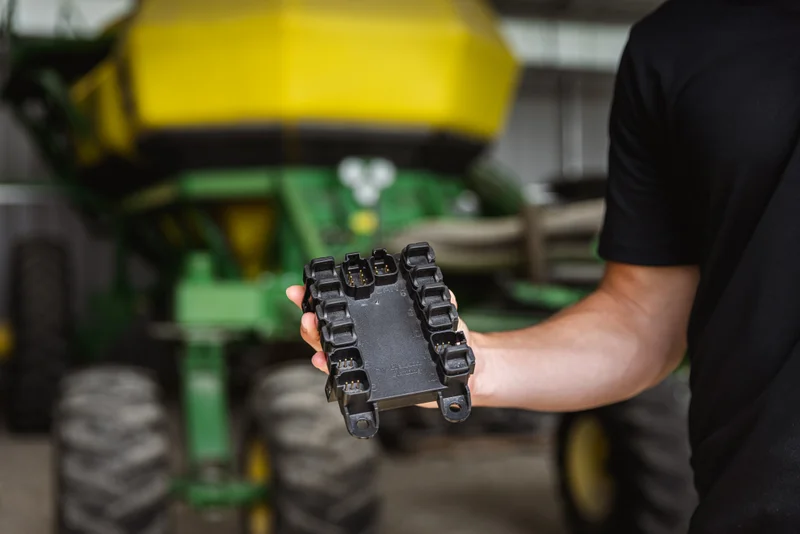
See Inside Your Air Seeder or Drill
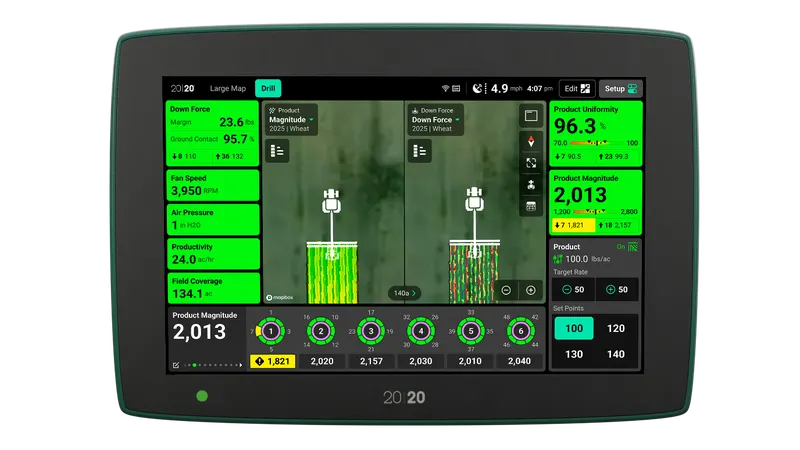
Clarity paired with the 20|20 brings complete visibility and understanding to granular product delivery on an air seeder or box drill as it is being applied. By watching the monitor in the cab, you can catch blockage flow issues, drops in pressure or downforce changes the moment they become a problem, rather than after the crop emerges.
High-Definition Mapping
The 20|20 shows more than just red or green for coverage maps; it shows a vast array of colors in high-definition that illustrates detailed data per row. Monitor flow variability, blockage metrics, downforce, fan speed and air pressure more accurately with the Clarity system.
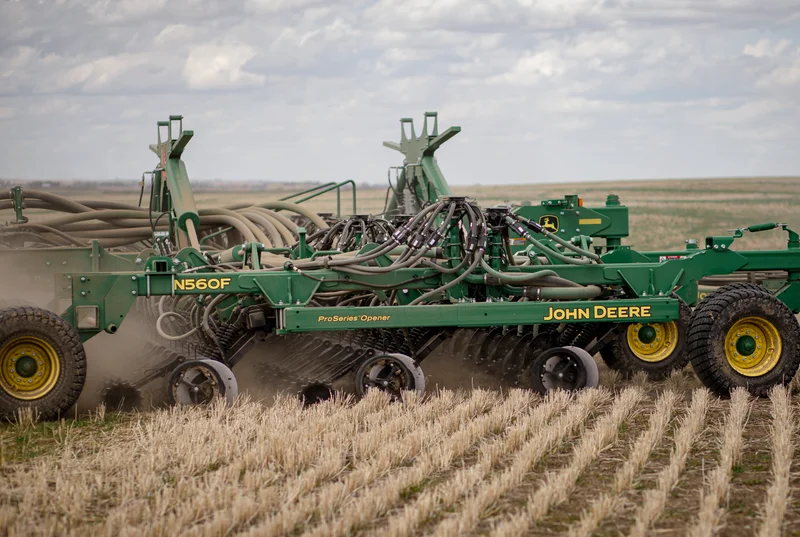
Monitor and Automatically Adjust Downforce With SeederForce
The 20|20 gives you the knowledge that you need to maximize the performance of your equipment, your crops, and your farm. When you make better decisions for your next pass, you make better decisions next season, and throughout the future of your operation.
Customize Your View
Map
High-definition maps illustrate detailed data per row. Show two maps side by side and product performance.
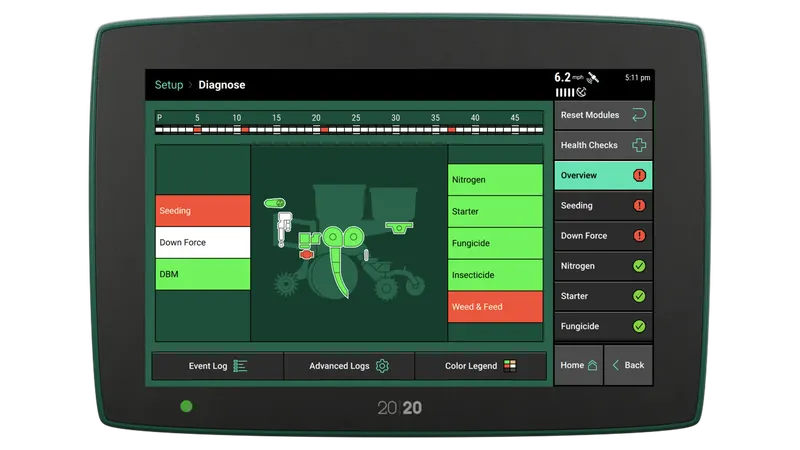
Diagnose
Power and monitor electronic products through the 20|20 to see how they perform in real-time.
Control
Gain control over your most challenging applications through advanced products and automation capabilities.
Choose Your Display Size
If you desire to see more metrics and maps side by side on your 20|20, then the 16" display is for you! Two times the widget locations and cross-display control of the most used home-screen features, so you can mount additional displays wherever makes the most sense in your cab.
Data Syncing Across Implements
Share swath coverage and maps across implements working in the same field with Passmaster. Synchronize all maps available on all implements between Gen 3 20|20 systems for the entire field. An annual Panorama subscription is required for this feature.
Manage 20|20 maps and data in Panorama™
- View, share, and analyze 20|20 data everywhere.
- See data in row-by-row maps, field average reports, and yield comparisons.
- Automate the process of sending data from your 20|20 to other trusted platforms.
Frequently Asked Questions
The 20|20 Gen3 offers more visibility into your field with features like high-definition mapping, Panorama, the capability of controlling or monitoring the latest technology offered by Precision Planting.
While the Gen2 is not compatible with some of the newest Precision Planting products, it is compatible with:
- AirForce
- DeltaForce
- FlowSense
- mSet
- RowFlow
- SmartFirmer
- SpeedTube
- vApplyHD
- vDrive and vDrive Insecticide
- vSet Select
- WaveVision
- YieldSense
The following electronic products are controlled through the Gen3 monitor:
- Clarity
- DeltaForce
- DrySet Micro
- EM FlowSense, EMHD, FlowSense
- FurrowForce (can also be run manually)
- mSet
- Rate Controller
- SeederForce
- SmartDepth
- SmartFirmer
- SymphonyNozzle
- SymphonyVision
- SpeedTube
- vApplyHD
- vDrive and vDrive Insecticide
- vSet and vSet Select
- WaveVision
- YieldSense
No, you do not need internet to use the 20|20.
You can easily export your data onto a flash drive and then upload it to the platform of your choice. Check out Panorama by Precision Planting as a method to view and analyze your data by importing it automatically through the cloud.
No, the data will still live in the monitor until you manually delete it.
Best practice is to delete it annually, or as often as needed to create storage space. The speed at which you will fill up storage space depends on the acres you are covering and how many electronic products you have tied to the 20|20.
The 20|20 can be used in conjunction with Climate FieldView to provide you with high-definition maps on your iPad. The most spatially accurate planting and harvest data available can be mapped in real-time by using FieldView paired with a 20|20. If you choose to connect your 20|20 to FieldView, an external module is used to transfer data in the cab. You may also transfer your data to FieldView through Panorama by Precision Planting.
Data Drives Decisions
Get real-time data from your planter with the 20|20 system.
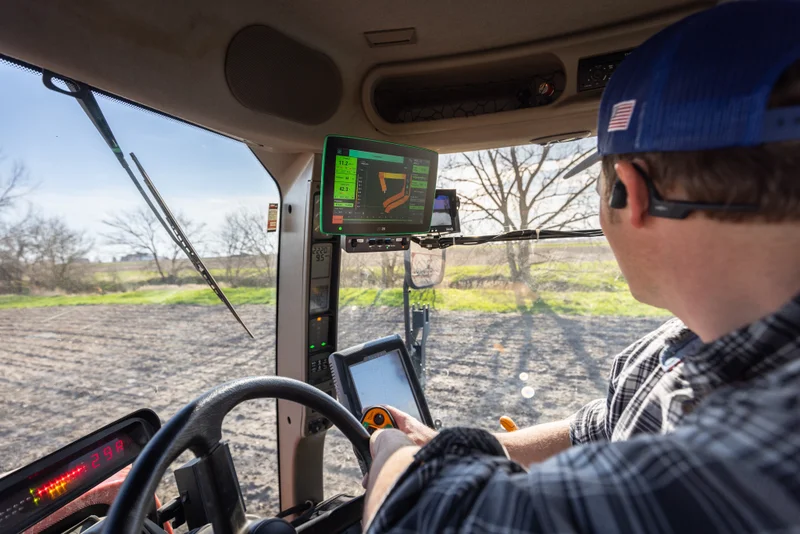
Control From The Cab
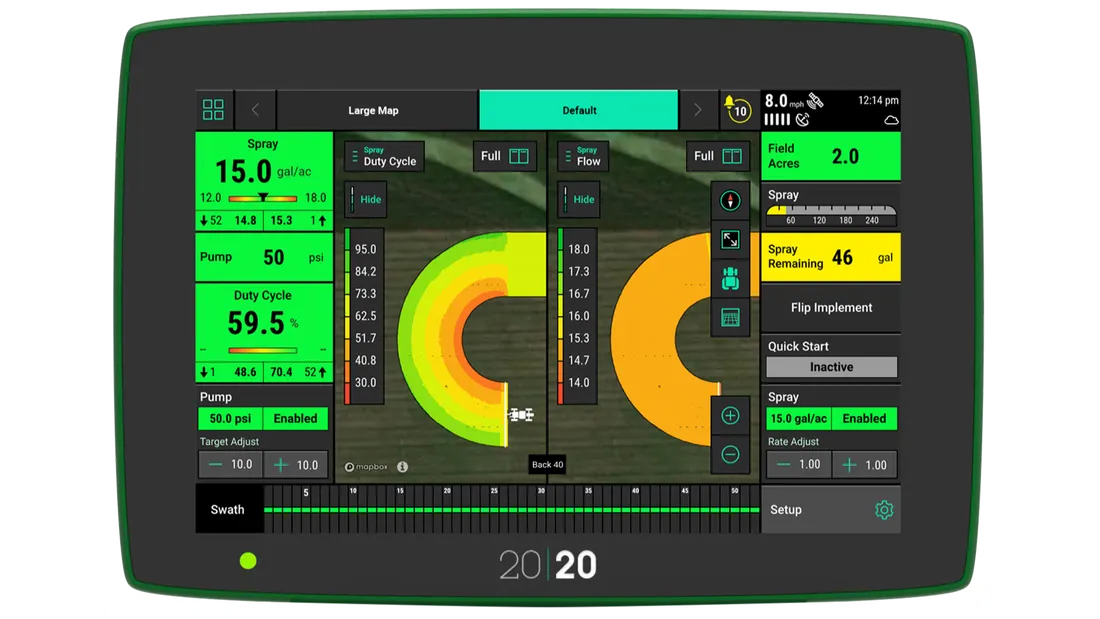
The Gen3 20|20 shows clear feedback from the SymphonyNozzle with metrics such as individual nozzle duty cycle, so you can see the performance of your sprayer front and center with every pass. Set your rate and pressure on the home screen and quickly adjust as needed in the field.
Nozzle-by-Nozzle Control, Independent of Rate and Pressure
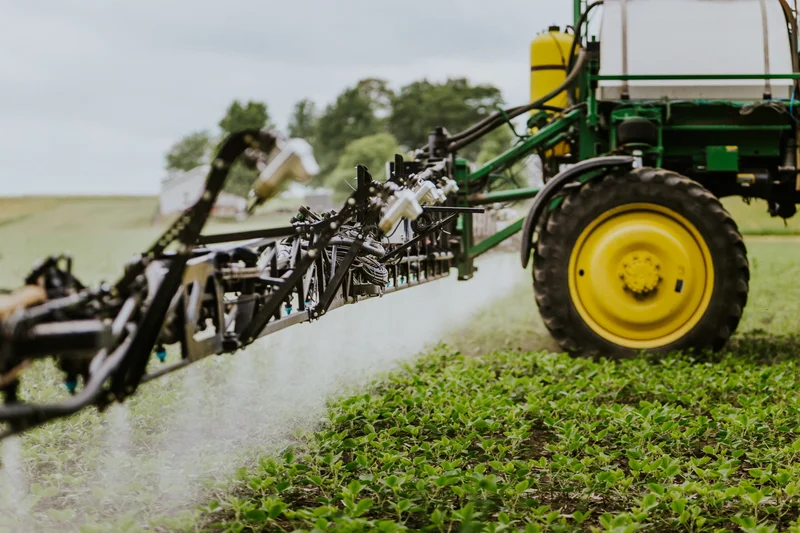
Achieve consistent droplet size on your sprayer with SymphonyNozzle™ through nozzle-by-nozzle control, independent of rate and pressure. Visualize real-time application metrics and maps on the 20|20 monitor. Hit your programmed target rate and pressure, no matter the operating conditions, while reducing overlap.
Customize Your View
Map
High-definition maps illustrate detailed data per row. Show two maps side by side and product performance.
Diagnose
Power and monitor electronic products through the 20|20 to see how they perform in real-time.
Control
Gain control over your most challenging applications through advanced products and automation capabilities.
Choose Your Display Size
If you desire to see more metrics and maps side by side on your 20|20, then the 16" display is for you! Two times the widget locations and cross-display control of the most used home-screen features, so you can mount additional displays wherever makes the most sense in your cab.
Data Syncing Across Implements
Share swath coverage and maps across implements working in the same field with Passmaster. Synchronize all maps available on all implements between Gen 3 20|20 systems for the entire field. An annual Panorama subscription is required for this feature.
Manage 20|20 maps and data in Panorama™
- View, share, and analyze 20|20 data everywhere.
- See data in row-by-row maps, field average reports, and yield comparisons.
- Automate the process of sending data from your 20|20 to other trusted platforms.
Frequently Asked Questions
The 20|20 Gen3 offers more visibility into your field with features like high-definition mapping, Panorama, the capability of controlling or monitoring the latest technology offered by Precision Planting.
While the Gen2 is not compatible with some of the newest Precision Planting products, it is compatible with:
- AirForce
- DeltaForce
- FlowSense
- mSet
- RowFlow
- SmartFirmer
- SpeedTube
- vApplyHD
- vDrive and vDrive Insecticide
- vSet Select
- WaveVision
- YieldSense
The following electronic products are controlled through the Gen3 monitor:
- Clarity
- DeltaForce
- DrySet Micro
- EM FlowSense, EMHD, FlowSense
- FurrowForce (can also be run manually)
- mSet
- Rate Controller
- SeederForce
- SmartDepth
- SmartFirmer
- SymphonyNozzle
- SymphonyVision
- SpeedTube
- vApplyHD
- vDrive and vDrive Insecticide
- vSet and vSet Select
- WaveVision
- YieldSense
No, you do not need internet to use the 20|20.
You can easily export your data onto a flash drive and then upload it to the platform of your choice. Check out Panorama by Precision Planting as a method to view and analyze your data by importing it automatically through the cloud.
No, the data will still live in the monitor until you manually delete it.
Best practice is to delete it annually, or as often as needed to create storage space. The speed at which you will fill up storage space depends on the acres you are covering and how many electronic products you have tied to the 20|20.
The 20|20 can be used in conjunction with Climate FieldView to provide you with high-definition maps on your iPad. The most spatially accurate planting and harvest data available can be mapped in real-time by using FieldView paired with a 20|20. If you choose to connect your 20|20 to FieldView, an external module is used to transfer data in the cab. You may also transfer your data to FieldView through Panorama by Precision Planting.
Data Drives Decisions
Get real-time data from your planter with the 20|20 system.
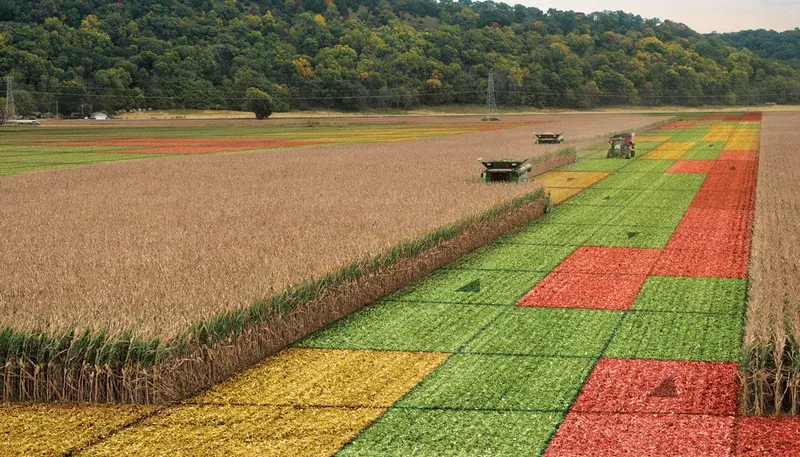
Spatially Accurate Yield Data
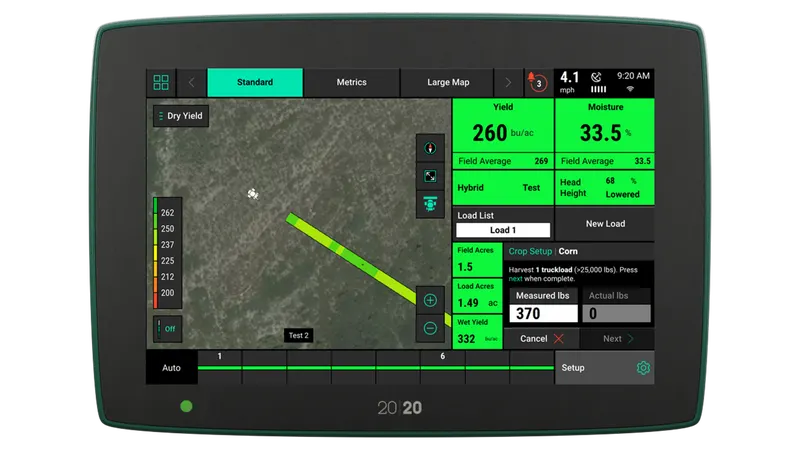
YieldSense changes the way grain flow is measured. Our patented flow sensor is installed in the correct location, so accurate yield is measured across all mass rates. Our monitor shows accurate load weights, consistent with elevator readings.
Simple To Use
One simple calibration per crop, per season, is all you need to get started with YieldSense. Our unique grain property kit keeps the sensor calibrated as you change hybrids, varieties, and moistures within fields, and from field to field. When grain is moving correctly across the flow sensor, variances in flow can easily be measured.
Better Data, Better Decisions
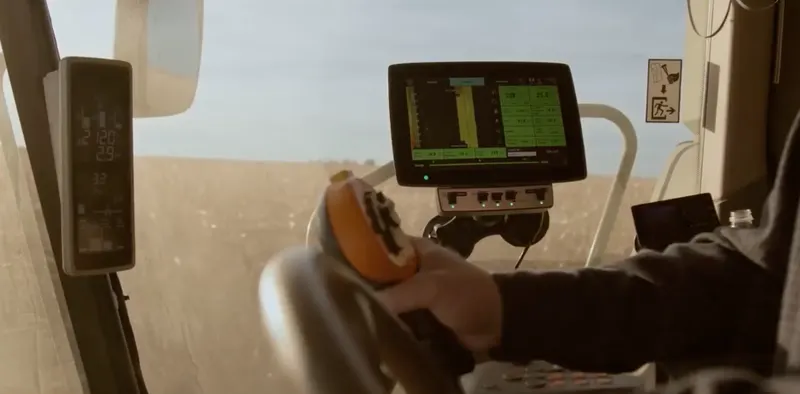
With real-time yield by hybrid reports, wireless data sharing between combines, and a Grain Property Kit to keep the system accurate, YieldSense paired with the 20|20 gives you the tools you need for better decisions at harvest and beyond.
Customize Your View
Map
High-definition maps illustrate detailed data per row. Show two maps side by side and product performance.
Diagnose
Power and monitor electronic products through the 20|20 to see how they perform in real-time.
Control
Gain control over your most challenging applications through advanced products and automation capabilities.
Choose Your Display Size
If you desire to see more metrics and maps side by side on your 20|20, then the 16" display is for you! Two times the widget locations and cross-display control of the most used home-screen features, so you can mount additional displays wherever makes the most sense in your cab.
Data Syncing Across Implements
Share swath coverage and maps across implements working in the same field with Passmaster. Synchronize all maps available on all implements between Gen 3 20|20 systems for the entire field. An annual Panorama subscription is required for this feature.
Manage 20|20 maps and data in Panorama™
- View, share, and analyze 20|20 data everywhere.
- See data in row-by-row maps, field average reports, and yield comparisons.
- Automate the process of sending data from your 20|20 to other trusted platforms.
Frequently Asked Questions
The 20|20 Gen3 offers more visibility into your field with features like high-definition mapping, Panorama, the capability of controlling or monitoring the latest technology offered by Precision Planting.
While the Gen2 is not compatible with some of the newest Precision Planting products, it is compatible with:
- AirForce
- DeltaForce
- FlowSense
- mSet
- RowFlow
- SmartFirmer
- SpeedTube
- vApplyHD
- vDrive and vDrive Insecticide
- vSet Select
- WaveVision
- YieldSense
The following electronic products are controlled through the Gen3 monitor:
- Clarity
- DeltaForce
- DrySet Micro
- EM FlowSense, EMHD, FlowSense
- FurrowForce (can also be run manually)
- mSet
- Rate Controller
- SeederForce
- SmartDepth
- SmartFirmer
- SymphonyNozzle
- SymphonyVision
- SpeedTube
- vApplyHD
- vDrive and vDrive Insecticide
- vSet and vSet Select
- WaveVision
- YieldSense
No, you do not need internet to use the 20|20.
You can easily export your data onto a flash drive and then upload it to the platform of your choice. Check out Panorama by Precision Planting as a method to view and analyze your data by importing it automatically through the cloud.
No, the data will still live in the monitor until you manually delete it.
Best practice is to delete it annually, or as often as needed to create storage space. The speed at which you will fill up storage space depends on the acres you are covering and how many electronic products you have tied to the 20|20.
The 20|20 can be used in conjunction with Climate FieldView to provide you with high-definition maps on your iPad. The most spatially accurate planting and harvest data available can be mapped in real-time by using FieldView paired with a 20|20. If you choose to connect your 20|20 to FieldView, an external module is used to transfer data in the cab. You may also transfer your data to FieldView through Panorama by Precision Planting.
Data Drives Decisions
Get real-time data from your planter with the 20|20 system.
Row-by-Row, Rate Monitoring and Control
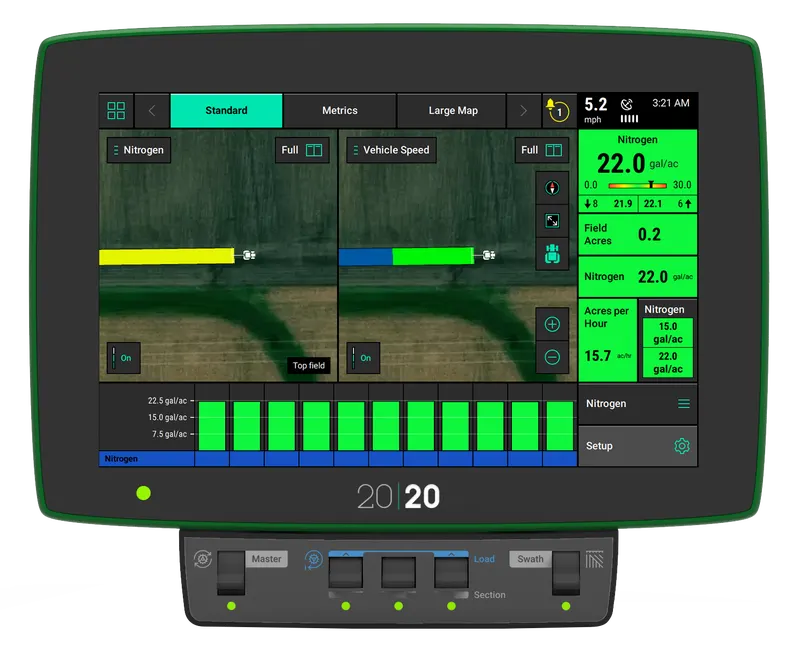
Take your liquid sidedress pass to the next level with real-time row-by-row rate monitoring and control. The same vApplyHD module that controls in-furrow starter or nitrogen on the planter can be moved to the sidedress bar to control the application of nitrogen.
Easily Adjust Applied Rates On The Go
Adjusting your liquid product rates should be simple. With Precision Planting's RateController, you can easily adjust applied rates and compensate for speed changes on the go.
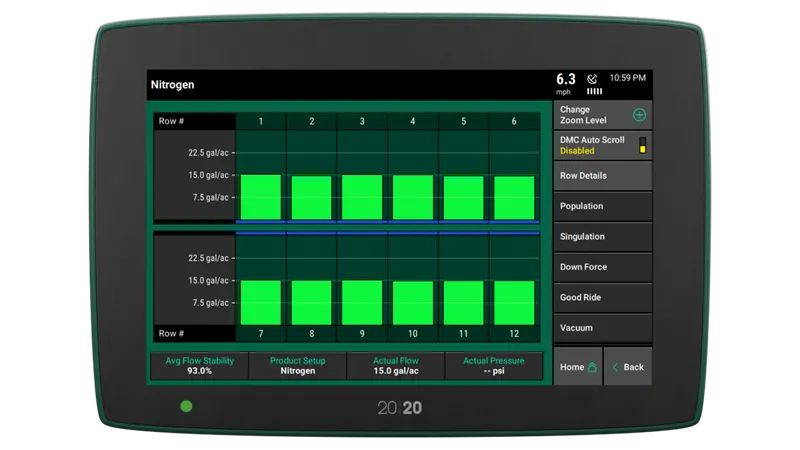
FlowSense Lets You Know
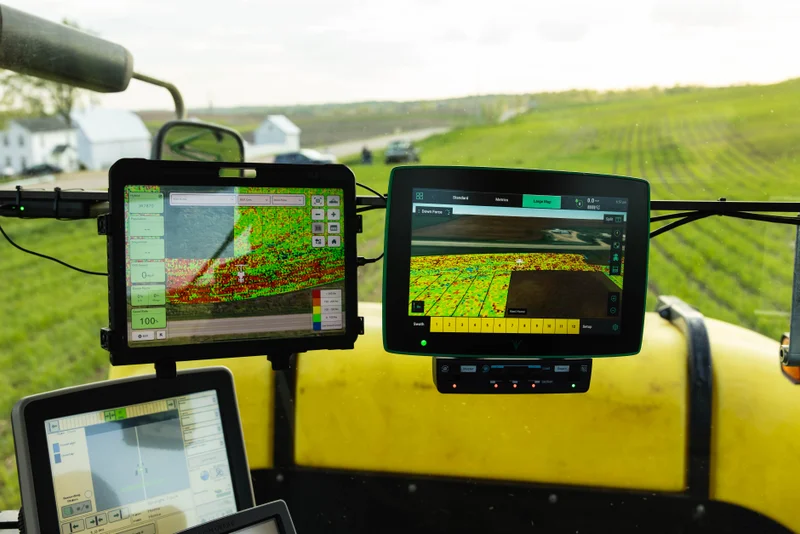
FlowSense allows you to measure the rate of fertilizer you are applying on each row of your planter or sidedress bar, to make you aware of any row-to-row variability that is occurring so that you can be confident in your application rate.
Customize Your View
Map
High-definition maps illustrate detailed data per row. Show two maps side by side and product performance.
Diagnose
Power and monitor electronic products through the 20|20 to see how they perform in real-time.
Control
Gain control over your most challenging applications through advanced products and automation capabilities.
Choose Your Display Size
If you desire to see more metrics and maps side by side on your 20|20, then the 16" display is for you! Two times the widget locations and cross-display control of the most used home-screen features, so you can mount additional displays wherever makes the most sense in your cab.
Data Syncing Across Implements
Share swath coverage and maps across implements working in the same field with Passmaster. Synchronize all maps available on all implements between Gen 3 20|20 systems for the entire field. An annual Panorama subscription is required for this feature.
Manage 20|20 maps and data in Panorama™
- View, share, and analyze 20|20 data everywhere.
- See data in row-by-row maps, field average reports, and yield comparisons.
- Automate the process of sending data from your 20|20 to other trusted platforms.
Frequently Asked Questions
The 20|20 Gen3 offers more visibility into your field with features like high-definition mapping, Panorama, the capability of controlling or monitoring the latest technology offered by Precision Planting.
While the Gen2 is not compatible with some of the newest Precision Planting products, it is compatible with:
- AirForce
- DeltaForce
- FlowSense
- mSet
- RowFlow
- SmartFirmer
- SpeedTube
- vApplyHD
- vDrive and vDrive Insecticide
- vSet Select
- WaveVision
- YieldSense
The following electronic products are controlled through the Gen3 monitor:
- Clarity
- DeltaForce
- DrySet Micro
- EM FlowSense, EMHD, FlowSense
- FurrowForce (can also be run manually)
- mSet
- Rate Controller
- SeederForce
- SmartDepth
- SmartFirmer
- SymphonyNozzle
- SymphonyVision
- SpeedTube
- vApplyHD
- vDrive and vDrive Insecticide
- vSet and vSet Select
- WaveVision
- YieldSense
No, you do not need internet to use the 20|20.
You can easily export your data onto a flash drive and then upload it to the platform of your choice. Check out Panorama by Precision Planting as a method to view and analyze your data by importing it automatically through the cloud.
No, the data will still live in the monitor until you manually delete it.
Best practice is to delete it annually, or as often as needed to create storage space. The speed at which you will fill up storage space depends on the acres you are covering and how many electronic products you have tied to the 20|20.
The 20|20 can be used in conjunction with Climate FieldView to provide you with high-definition maps on your iPad. The most spatially accurate planting and harvest data available can be mapped in real-time by using FieldView paired with a 20|20. If you choose to connect your 20|20 to FieldView, an external module is used to transfer data in the cab. You may also transfer your data to FieldView through Panorama by Precision Planting.
Data Drives Decisions
Get real-time data from your planter with the 20|20 system.
Advanced Flow and Blockage Metrics
Clarity paired with the 20|20 brings better visibility and understanding of granular products that are flowing through the delivery tubes on a strip-till bar as they are being applied. By watching the 20|20 you can catch a blockage or flow distribution issue the moment it becomes a problem, rather than after the crop emerges.
Easily Adjust Applied Rates On The Go
With Precision Planting's RateController, you can easily adjust applied rates of dry fertilizer and compensate for speed changes on the go.
Customize Your View
Map
High-definition maps illustrate detailed data per row. Show two maps side by side and product performance.
Diagnose
Power and monitor electronic products through the 20|20 to see how they perform in real-time.
Control
Gain control over your most challenging applications through advanced products and automation capabilities.
Choose Your Display Size
If you desire to see more metrics and maps side by side on your 20|20, then the 16" display is for you! Two times the widget locations and cross-display control of the most used home-screen features, so you can mount additional displays wherever makes the most sense in your cab.
Data Syncing Across Implements
Share swath coverage and maps across implements working in the same field with Passmaster. Synchronize all maps available on all implements between Gen 3 20|20 systems for the entire field. An annual Panorama subscription is required for this feature.
Manage 20|20 maps and data in Panorama™
- View, share, and analyze 20|20 data everywhere.
- See data in row-by-row maps, field average reports, and yield comparisons.
- Automate the process of sending data from your 20|20 to other trusted platforms.
Frequently Asked Questions
The 20|20 Gen3 offers more visibility into your field with features like high-definition mapping, Panorama, the capability of controlling or monitoring the latest technology offered by Precision Planting.
While the Gen2 is not compatible with some of the newest Precision Planting products, it is compatible with:
- AirForce
- DeltaForce
- FlowSense
- mSet
- RowFlow
- SmartFirmer
- SpeedTube
- vApplyHD
- vDrive and vDrive Insecticide
- vSet Select
- WaveVision
- YieldSense
The following electronic products are controlled through the Gen3 monitor:
- Clarity
- DeltaForce
- DrySet Micro
- EM FlowSense, EMHD, FlowSense
- FurrowForce (can also be run manually)
- mSet
- Rate Controller
- SeederForce
- SmartDepth
- SmartFirmer
- SymphonyNozzle
- SymphonyVision
- SpeedTube
- vApplyHD
- vDrive and vDrive Insecticide
- vSet and vSet Select
- WaveVision
- YieldSense
No, you do not need internet to use the 20|20.
You can easily export your data onto a flash drive and then upload it to the platform of your choice. Check out Panorama by Precision Planting as a method to view and analyze your data by importing it automatically through the cloud.
No, the data will still live in the monitor until you manually delete it.
Best practice is to delete it annually, or as often as needed to create storage space. The speed at which you will fill up storage space depends on the acres you are covering and how many electronic products you have tied to the 20|20.
The 20|20 can be used in conjunction with Climate FieldView to provide you with high-definition maps on your iPad. The most spatially accurate planting and harvest data available can be mapped in real-time by using FieldView paired with a 20|20. If you choose to connect your 20|20 to FieldView, an external module is used to transfer data in the cab. You may also transfer your data to FieldView through Panorama by Precision Planting.
Not sure which system suits your operation?
MCX Tech works directly with growers to design precision technology solutions that match machinery, farm scale, and operational goals.